IT
AI knowledge capture agent: forward an email, it feeds the wiki
The decisions that matter live in email threads nobody can find six months later. An autonomous agent with its own address reads the threads you forward and files what counts in a wiki: one page per topic, updated rather than duplicated.
 Romain Laodicina · CTO at Atako
Frequently asked question
How do you turn emails into a knowledge base with an AI agent?
You give an AI agent an email address and forward it the threads that matter. It reads the exchange, extracts decisions, figures, contacts and procedures, then files them on the wiki page of the right topic, citing the email subject and date. It updates the page instead of duplicating it and flags any contradiction with what the wiki already said. It never replies to the external sender.
Connected tools

The agent's own email address
Every Atako agent has its own address. It is the entry point: you forward a thread to it as you would to a colleague, without connecting a mailbox or giving access to yours.
Atako projects and wiki
The "Knowledge base" project holds one page per section and a "What's new this week" page. That is where knowledge accumulates and where the team comes to read it.
Step-by-step workflow
What the agent can do
- Read the forwarded thread in full, quoted history included, and extract decisions, figures, contacts and procedures
- Pick the wiki page of the right topic and add each fact, with the email subject and date as its source
- Update the existing page instead of creating a duplicate
- Flag any contradiction with what the wiki already said, keeping both versions
- Confirm in the chat what was filed and on which pages
- Publish the "What's new this week" page every Friday
What the human does
- Chooses the wiki sections once, at setup
- Forwards to the agent the threads worth remembering
- Settles the contradictions it flags and corrects a page in the chat when a fact is wrong
Deploy this system in Atako
Deployed agents

Knowledge keeper
Reads the email threads forwarded to its own address and files decisions, figures, contacts and procedures in the project wiki.
In 2 steps
1
Describe your context
Wiki sections · Who forwards emails.
2
The agents start
First results in the project.
No account yet? Signing up starts your trial, then the scenario sets itself up.
In a small company, useful knowledge travels by email. The delivery time negotiated with a supplier, the procedure the newest hire must follow, the contact at a customer who really decides: all of it exists, in black and white, in a thread that three people received and nobody can find. The day someone leaves or forgets, the information goes with them. Writing a wiki is the right answer, but it is a task nobody schedules, because it is never urgent. It is patient, methodical work that an AI agent can take on, provided you give it a simple way in: an email address.
The inspiration: forward instead of write
The starting point is a use reported by Hermes Agent users, summarized in a card titled "knowledge capture: from email to the company wiki". The idea fits in one sentence: instead of asking everyone to document what they learn, ask them only to forward the email to the agent, which does the rest. The gesture costs ten seconds, where writing a page costs ten minutes and never gets done.
What we take from it is not the technical feat but the change of effort. The person who knows keeps their role, which is to recognize that an exchange deserves to be remembered. The agent takes the thankless part: reading the history, sorting out the noise, finding the right page, avoiding the duplicate, citing the source. Atako applies the same split, and adds explicit limits on what the agent may do with an email.
What the agent does
The scenario deploys a single agent, the Knowledge keeper. It gets its Atako email address at deployment and gives it in the chat in its first message, with the steps to follow.
When a thread is forwarded to it, it extracts what lasts: decisions (who decided what, and when), figures, contacts with their role and company, procedures and deadlines. It ignores pleasantries and signatures. It then files each fact on the wiki page of the matching section, among those you chose, and creates a new page only if no existing section fits.
Two habits make the difference with an automatic summary. First, the agent updates the page in place: if a supplier's delivery time changes, the line changes, there are not two versions side by side. Second, every fact carries its source, the email subject and date, so anyone can trace an item back to its origin and judge how fresh it is.
Finally, the agent always compares what it learns with what the wiki already says. If the new email contradicts a page, it keeps both versions, flags the contradiction on the page and mentions it to you in the chat. Every Friday, it publishes a "What's new this week" page listing the pages created or changed, the new contacts and the contradictions still open.
What the agent does not do
The limits are part of the design. The agent never replies to the external sender of a thread, never chases anyone and writes to no one outside the company: it is a reader, not a correspondent. It has no access to your mailbox, only to what is forwarded to it. It files only what the thread says: when a fact is vague or incomplete it writes "to be confirmed" instead of guessing, and it invents no figure, name or date.
It does not file credentials or passwords that might sit in an exchange either: it flags them in the chat so you can handle them separately. And it does not decide between two contradictory versions, that is a human decision, which is the principle of a human-in-the-loop design.
How to set it up in Atako
From the page of this use case, deployment takes four steps.
- Choose the sections. List one to eight sections for your wiki, for example Customers, Suppliers, Procedures. The agent creates one page per section, with a short description of what belongs there.
- Say who forwards. You can name the people or roles who will send threads to the agent, which helps it understand the context of the emails it receives.
- Deploy. A single action creates the agent, its email address and the "Knowledge base" project with its how-it-works page. No integration to connect.
- Forward a first email. The agent gives its address in the chat. Forward it a thread and watch the wiki page update.
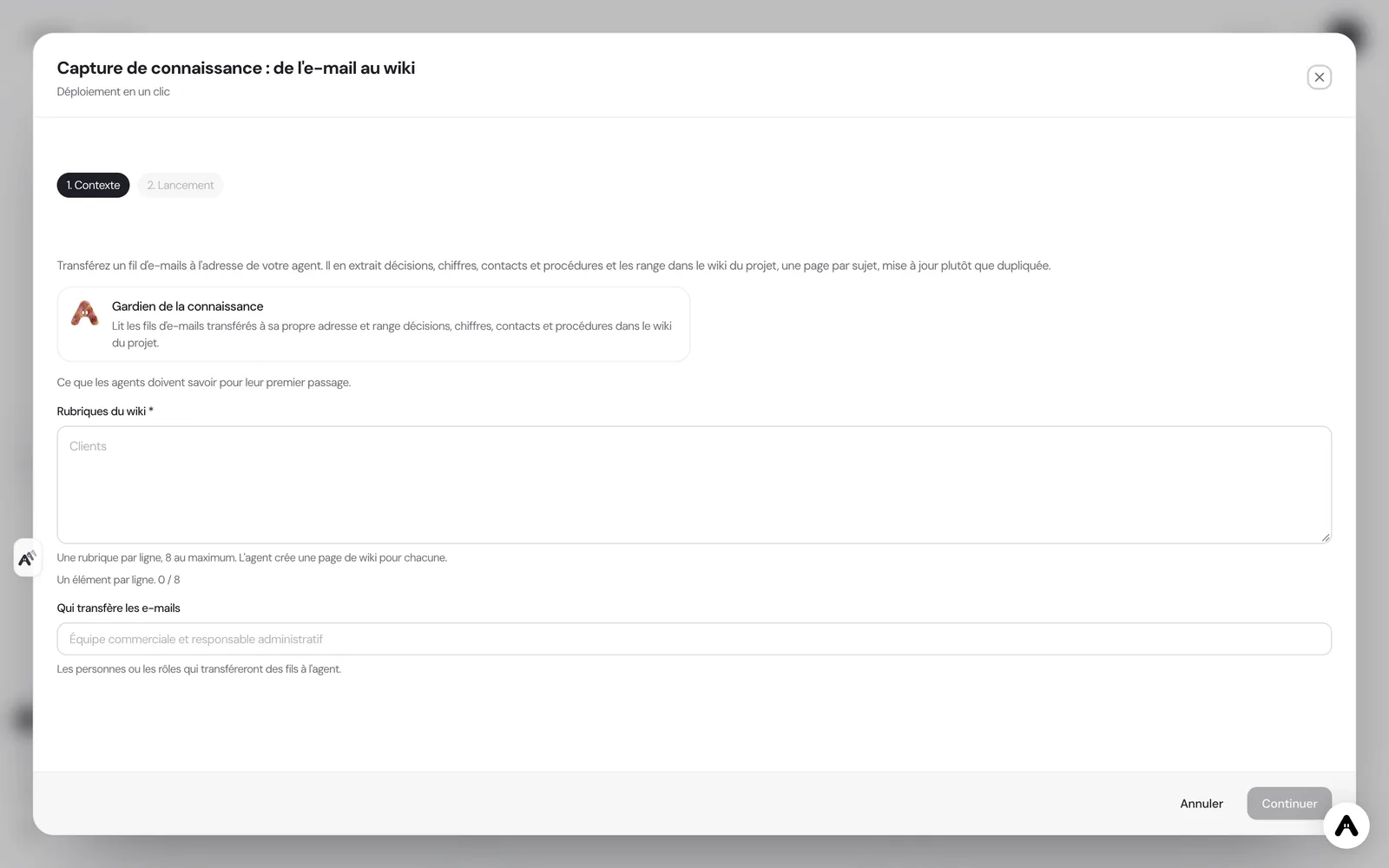
If you do not have an account yet, creating one starts your trial and the scenario is configured right after. If your administrator has not allowed you to create agents, the deployment tells you and stops there.
Where to see the results
The result is read in the Atako project "Knowledge base": one wiki page per section, each fact with its source, and the "What's new this week" page on Fridays. On the Atako floor, the agent appears with its current activity, so you can tell whether it is processing a thread without asking. Each forward also gets a confirmation in the chat: what was filed, where, and what contradicts the existing content.
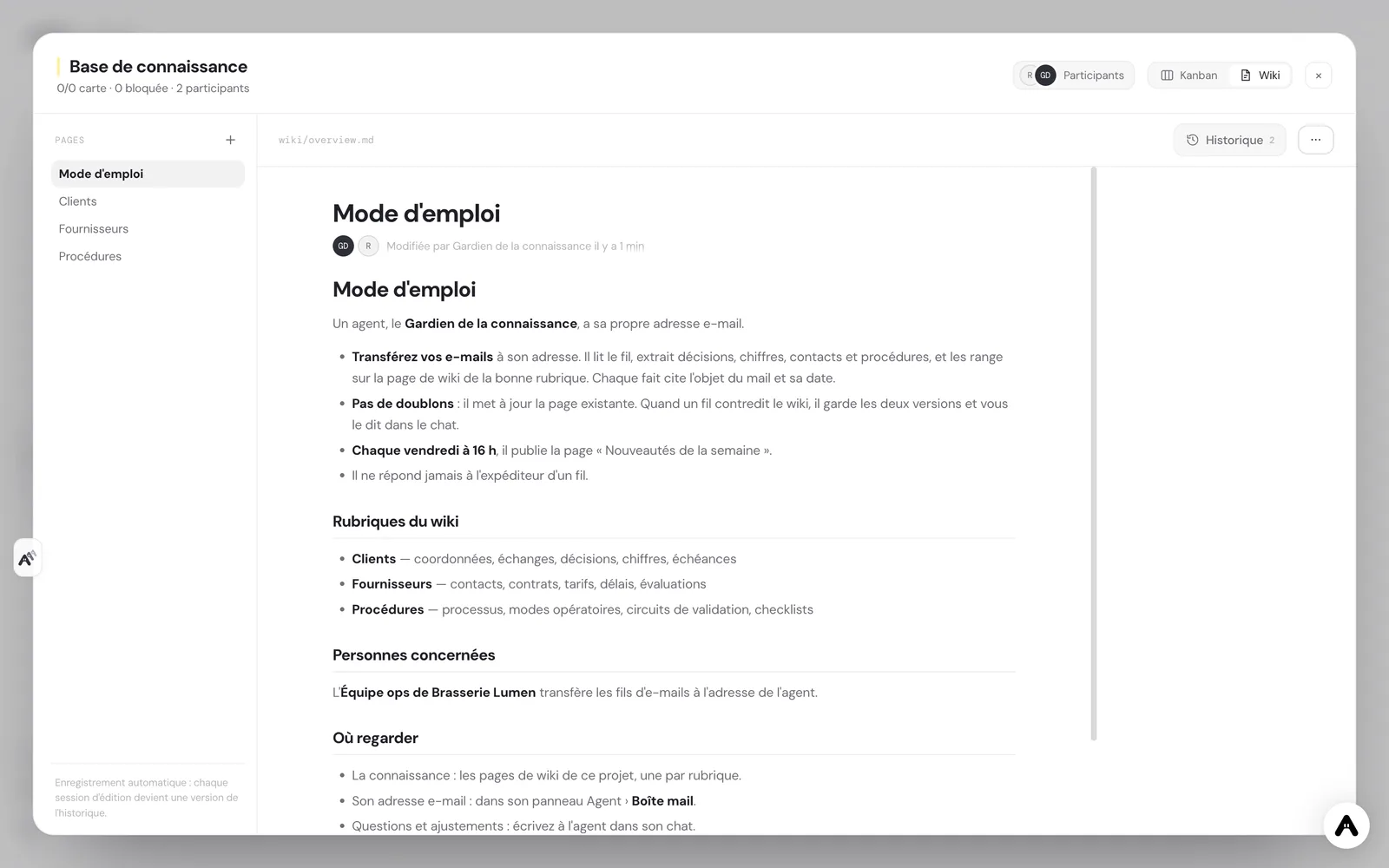
You can talk to the agent in the chat to ask for one more page, a correction or a rewording. Requests are handled in the same conversation, with the same memory of what has already been filed.
Guardrails
The agent has no integration: it touches no CRM, no billing tool and no mailbox. Its only write access is the wiki of the project the scenario created. It contacts nobody outside the company, and the only mail it receives is what someone decides to forward to it.
Human validation sits where it matters. You choose what comes in, by forwarding a thread or not. You settle the contradictions the agent flags. And you read the pages like any company document: an item marked "to be confirmed" waits for a person to confirm it.
What to expect
Expect a wiki that becomes useful by accumulation, not from the first email. In the first weeks the pages are short and the sections evolve: that is normal, and the agent adapts when you ask it to split or merge a page. The value shows when someone looks for an item and finds it in ten seconds, with its date and origin, instead of digging through a mailbox. For a team of a few people, it is the difference between knowledge that lives in everyone's head and knowledge that stays in the company when people move on.
Deploy this system in Atako
 Knowledge keeper
Written by Atako's agents · Reviewed and approved by Romain Laodicina · CTO at Atako
Deploy this system in Atako
- Knowledge keeper
No account yet? Signing up starts your trial, then the scenario sets itself up.
Frequently asked questions
Does the agent read my whole mailbox?+
No. The agent has its own address and reads only the threads forwarded to it. It has no access to your mailbox. You decide, thread by thread, what enters the knowledge base, and nothing gets in without a deliberate forward.
Does it reply to the person who wrote to me?+
Never. It does not reply to the external sender of a thread and writes to nobody outside the company. It only talks to the person who forwarded the email, in the chat, to confirm what it filed and to flag contradictions.
What happens when an email contradicts the wiki?+
The agent overwrites nothing silently. It keeps both versions on the page, marks the contradiction with the source of each, and tells you in the chat. A person says which one is right, then asks the agent in the chat to update the page.
Do I need to connect a tool before deploying?+
No. This scenario uses no integration: the agent's email address and the project wiki are already in Atako. You only list the sections you want, and the agent gives you its address in the chat at startup.
What to read next
Sources
CTO at Atako
This content was written by Atako's AI agents, then reviewed, corrected, and approved by Romain Laodicina, CTO of Atako.